R-05 · AI 影像 · 實測
MiniMax H3 Max:灰模管運鏡,人交給模型
你會知道:原本只在 Seedance 上成立的「Blender 灰模帶運鏡」,換成 MiniMax H3 Max 也跑得動——一發 15 秒 480P、US$1.50、42 秒。路人要不要放進灰模、誰來建模比較划算、同一顆灰模怎麼換成插畫風。

IG 原文 · 2026.09.23H3 我也可以跟著灰模跑了,
做小屁影片,會更省錢一點
三個結論
- 480P、US$1.50、42 秒算完(在 fal 上實付)。運鏡全程跟住灰模。
- 路人不進灰模:大約 300 人用提示詞生,省 Token、動作也自然。
- 同一顆灰模可以直接換成插畫風格,運鏡照樣跟住。
每一頁在講什麼
- 封面:左=Blender 灰模、右=H3 Max 成品,同一格。
- 新發現:無人灰模+主角,無參考圖、純提示詞。路人全部由文字生成,主角只給文字描述。
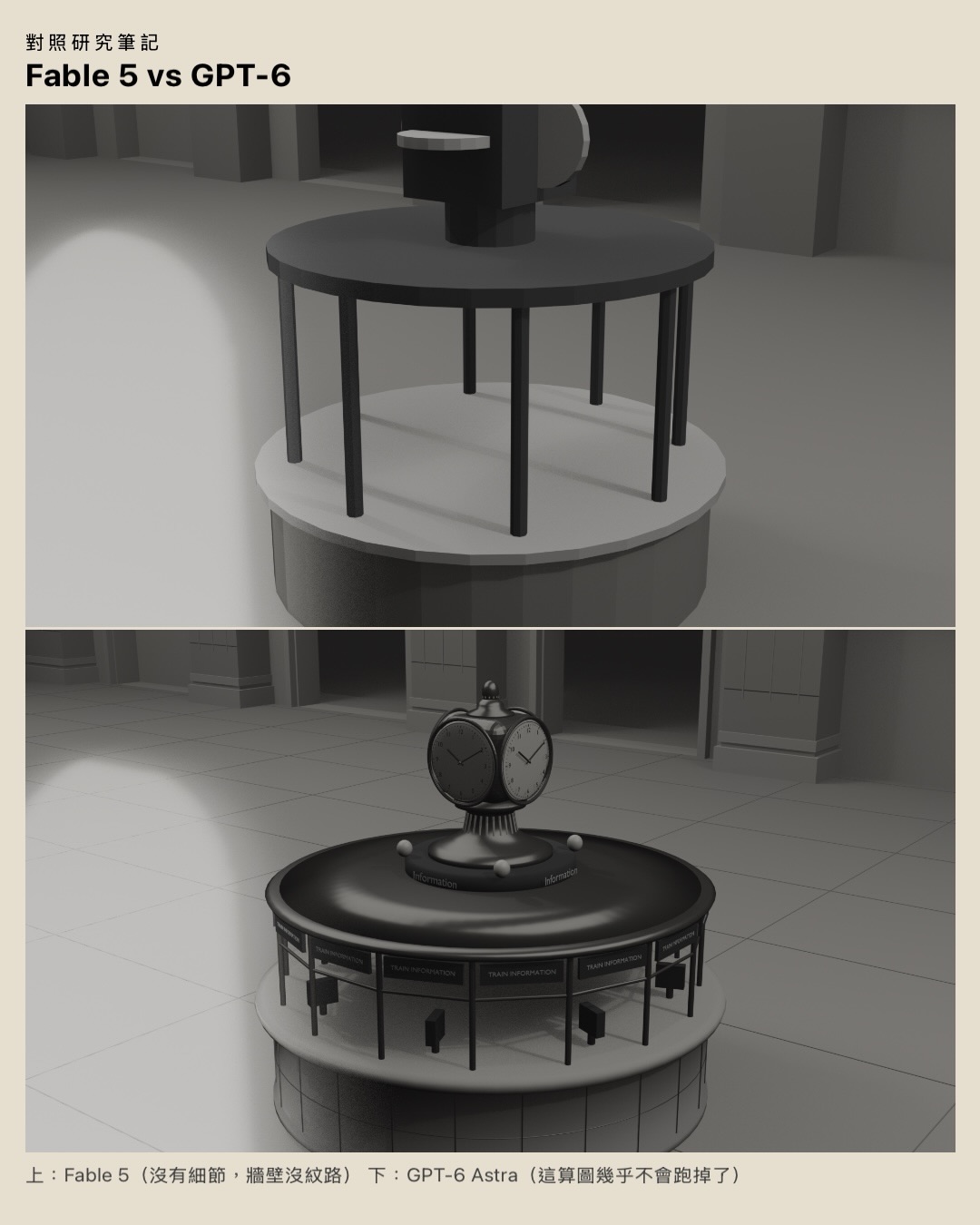
- Fable 5 vs GPT-6 建模:同一段指令讓兩個模型寫 Blender 建模程式。Fable 5 約 10 分鐘,便宜但細節差;GPT-6 約 30–45 分鐘,貴但細節好。
- 同上,近看:Fable 5 沒有細節、鐘面沒紋路;GPT-6 做得出車站中央的資訊亭與鐘。
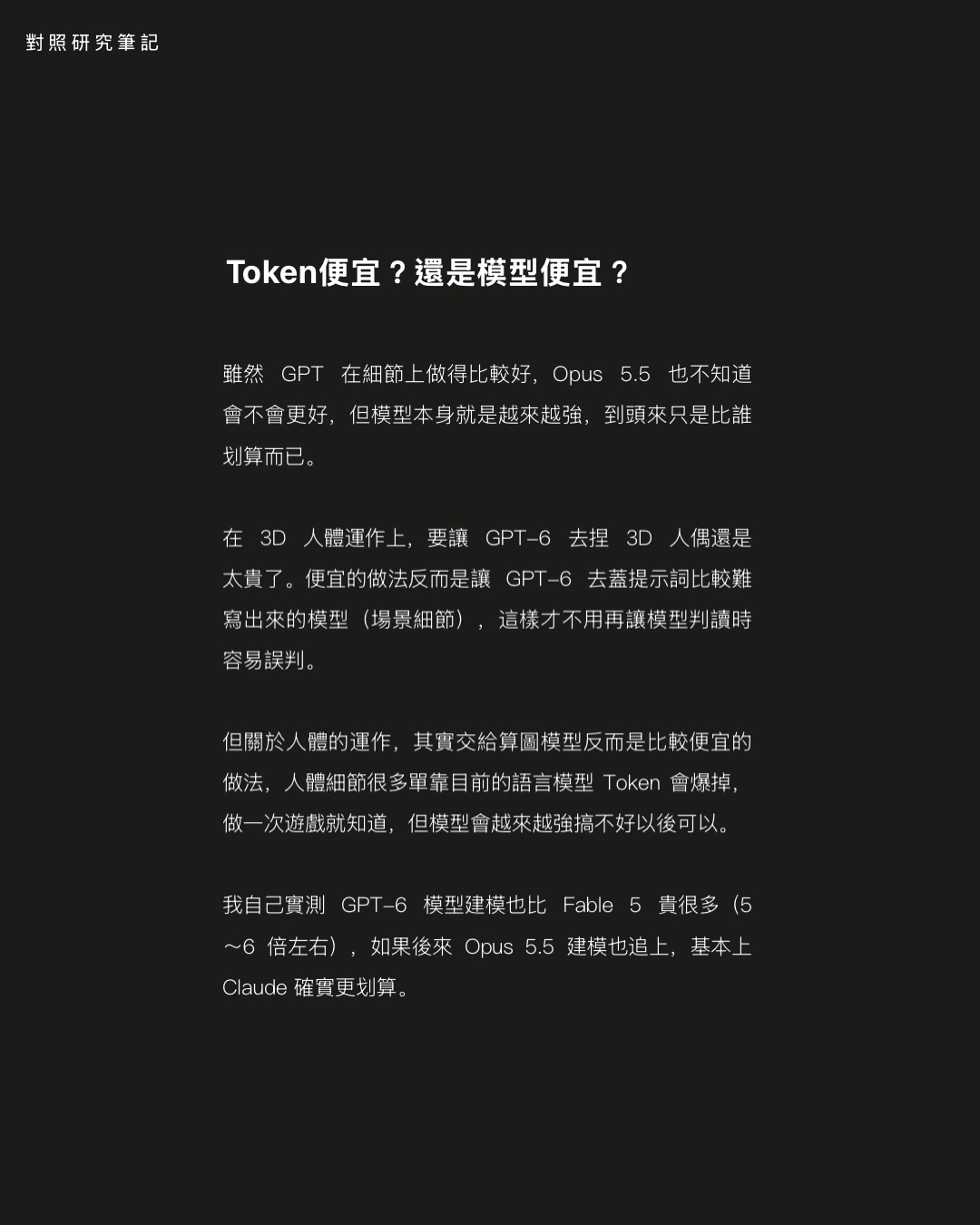
- Token 便宜,還是模型便宜?貴的模型不一定不划算:GPT-6 把場景建得夠細,後面算圖就不用反覆重來。但在 3D 人體上,便宜的做法反而是讓語言模型只寫提示詞,別叫它建人偶。
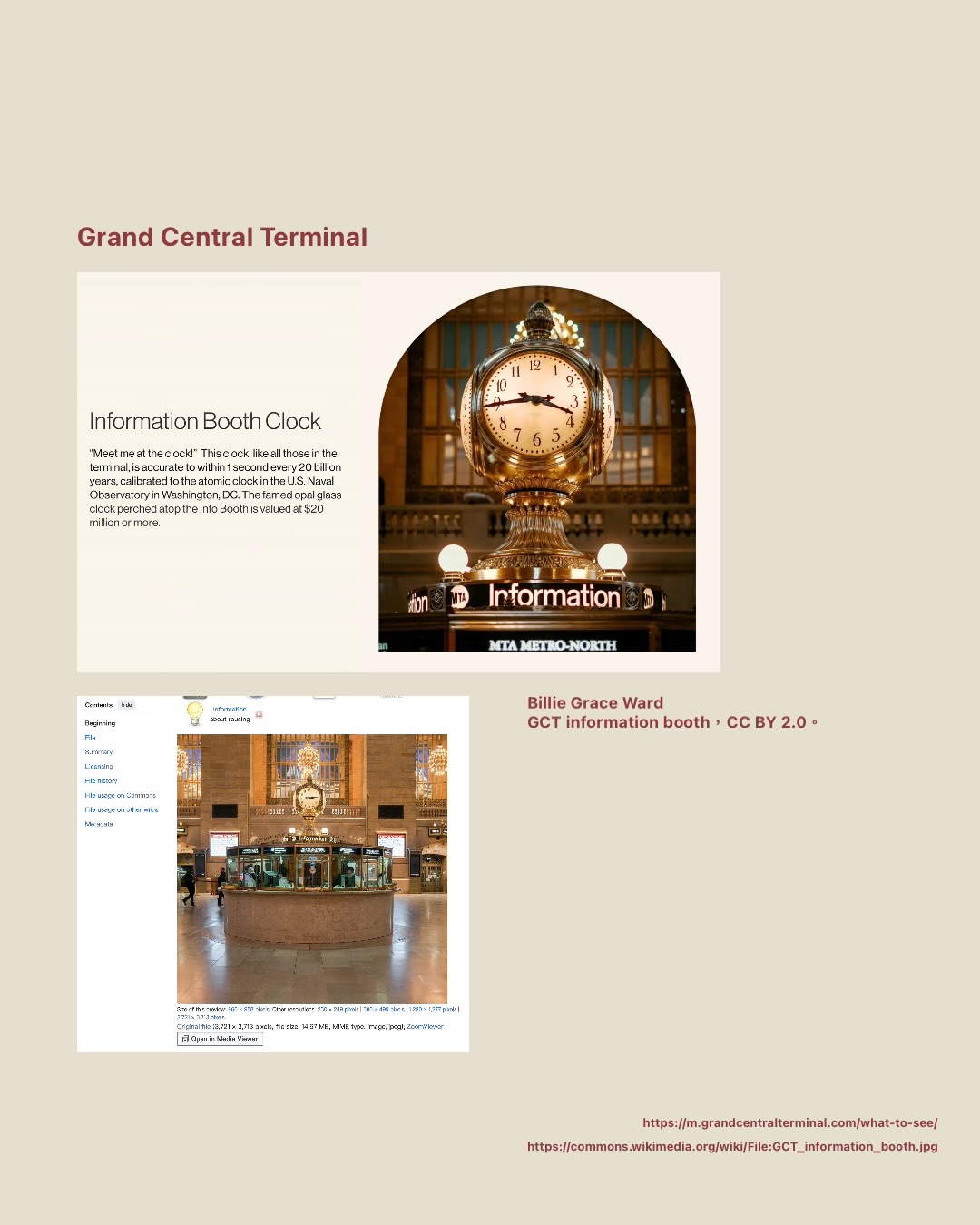
- 建模過程 GPT-6 自己找參考:它自己上網找了中央車站資訊亭的照片來對。
- 沒有人偶也算得出人:GPT-6+Seedance 2.5,無參考圖、純灰模。
- 太多人偶反而認不出來:Claude 建的灰模放了人偶、有運鏡、沒參考圖——人的問題沒改善,還出現假人。
- 人偶越精緻不一定越好:GPT-6 把人偶做得更精細,算出來反而更像人偶,因為模型判定你要的就是那個狀態。
- (影片)無參考圖純灰模的輸出片段。
- 換成 H3,人偶一樣被誤讀:317 個人偶放進灰模,路人照抄人偶的僵硬步態;拿掉人偶改用文字寫路人,密度與自然度都比較好。
- 真實感還是 Seedance 比較好:同一組輸入丟 CapCut 內建的 Seedance 2.5(510 點),路人多、國旗和看板和吊燈都長出來。
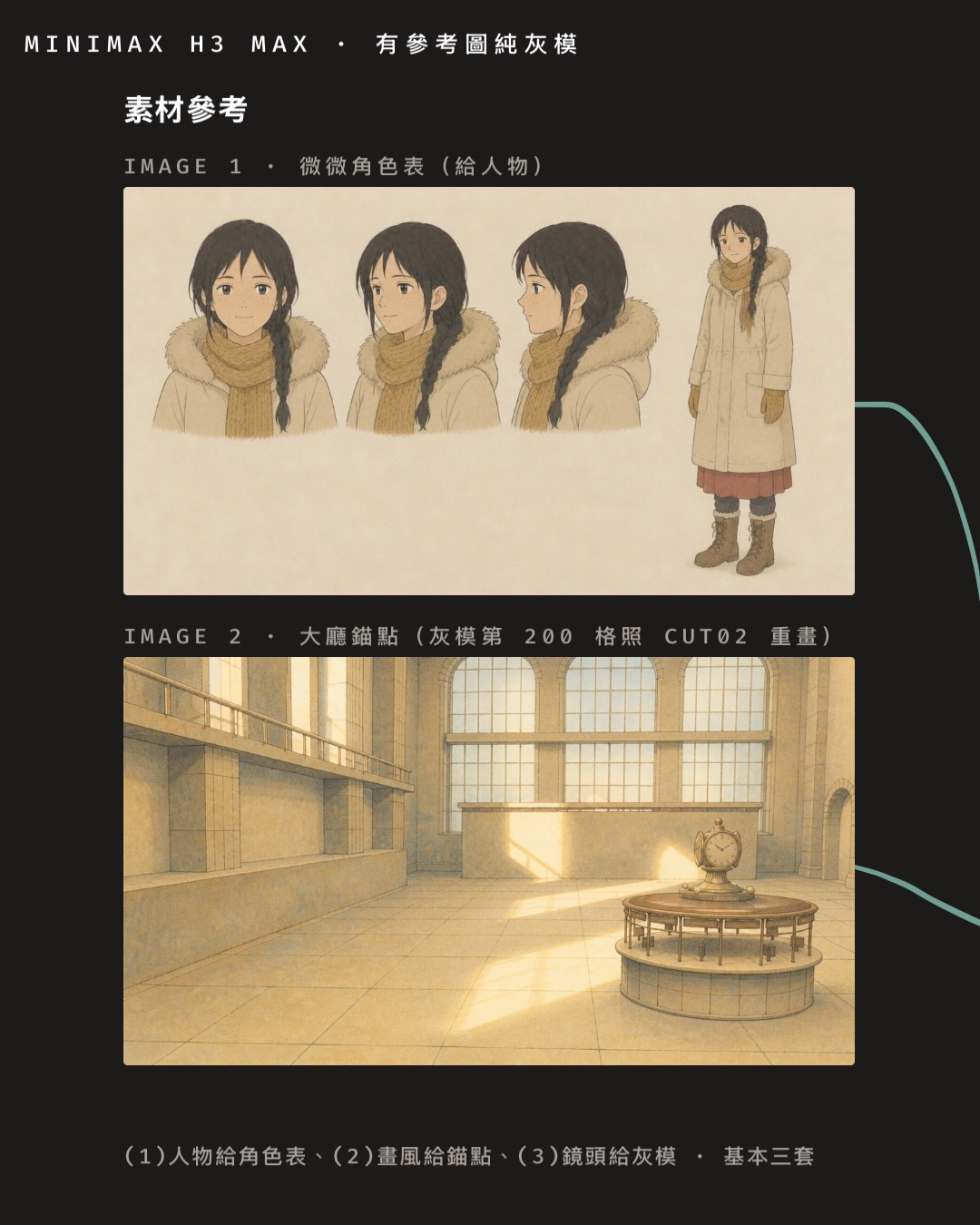
- 素材參考:插畫版用三樣——人物角色表、畫風錨點、鏡頭給灰模。
- 換成插畫風格,運鏡照樣跟住:灰模+插畫參考 → H3 輸出,角色一致,畫風參考只管它畫到的範圍。
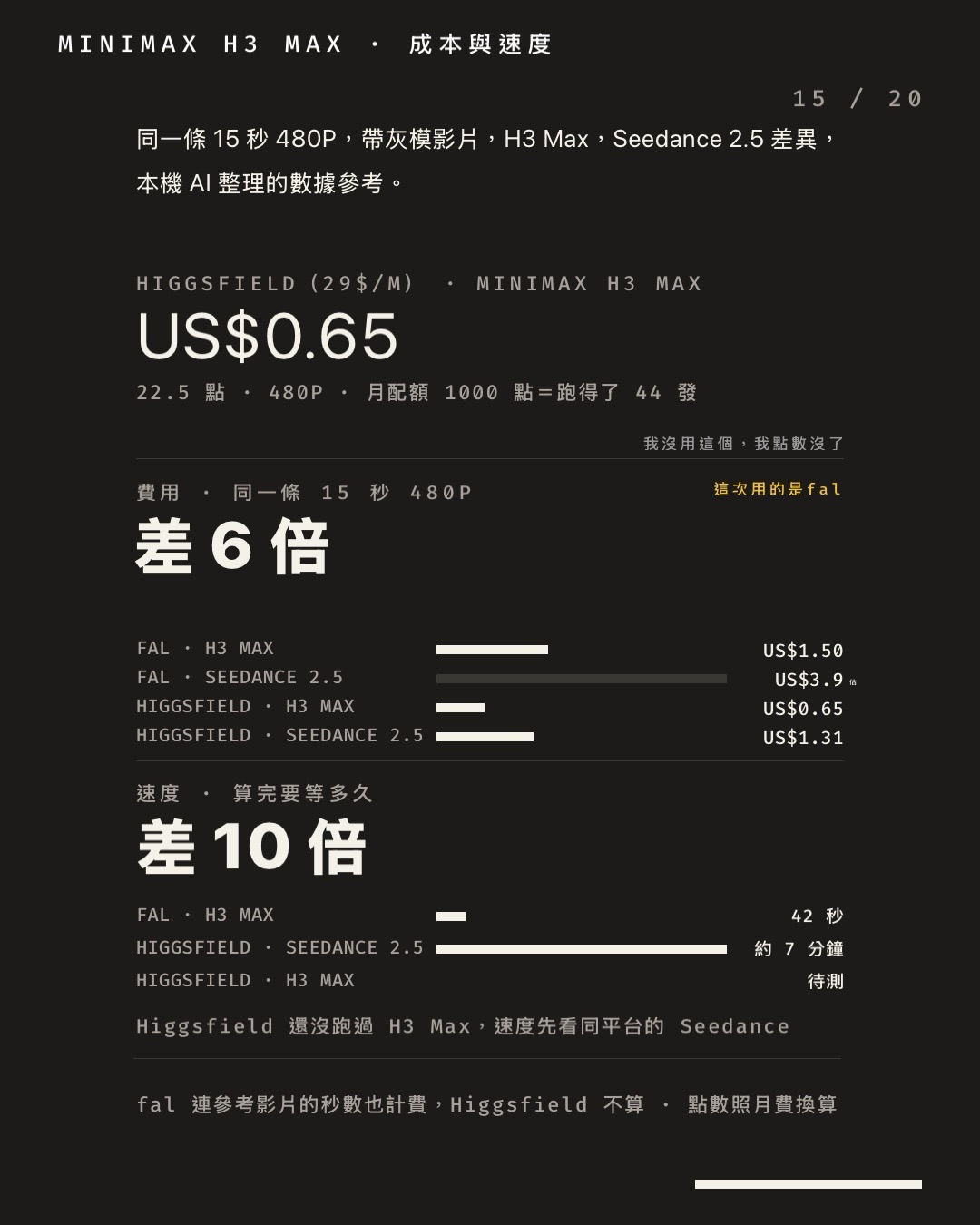
- 成本與速度:同一條 15 秒 480P,價錢差 6 倍、等待差 10 倍(完整數字在 R-06)。
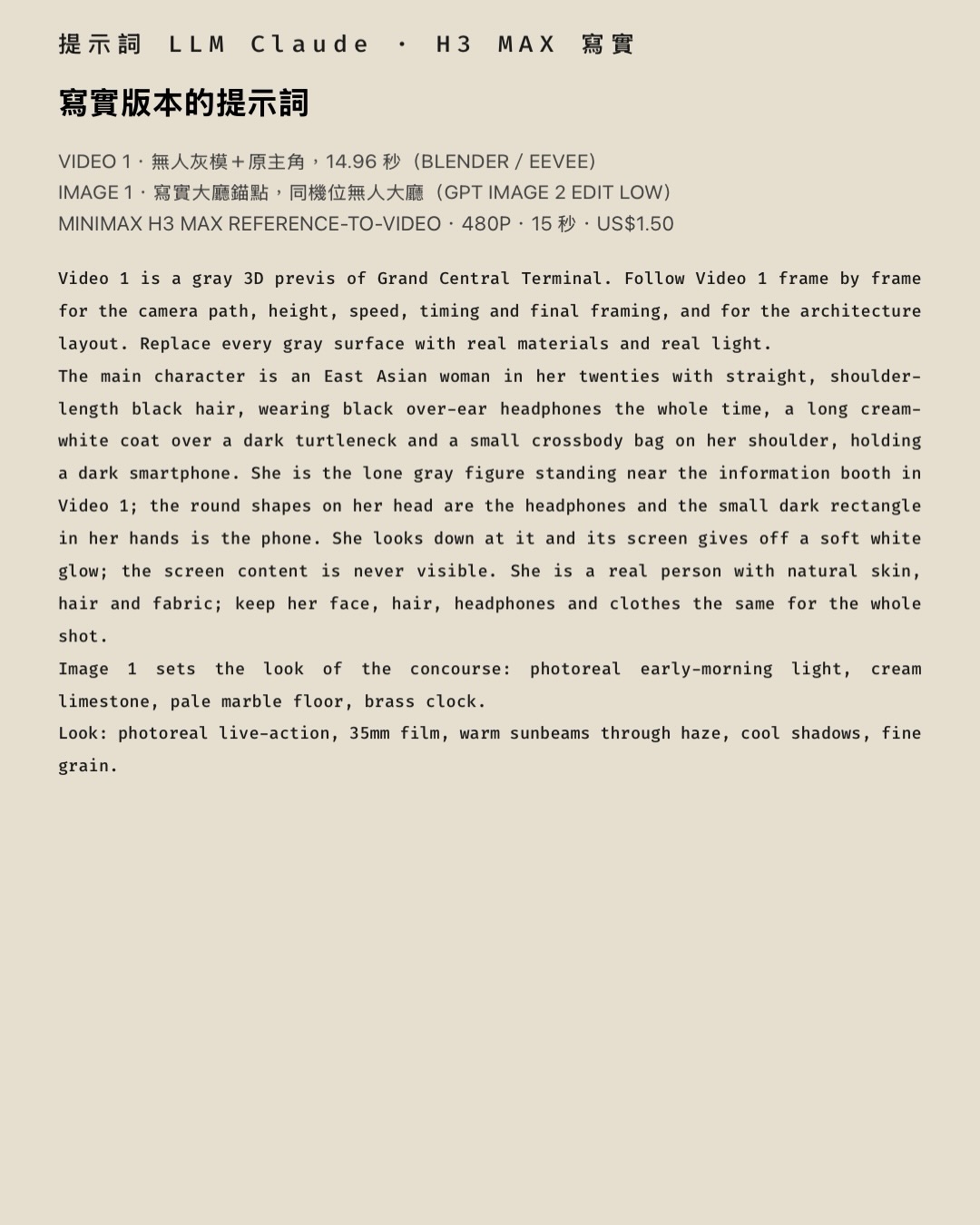
- 寫實版本的提示詞(全文)。
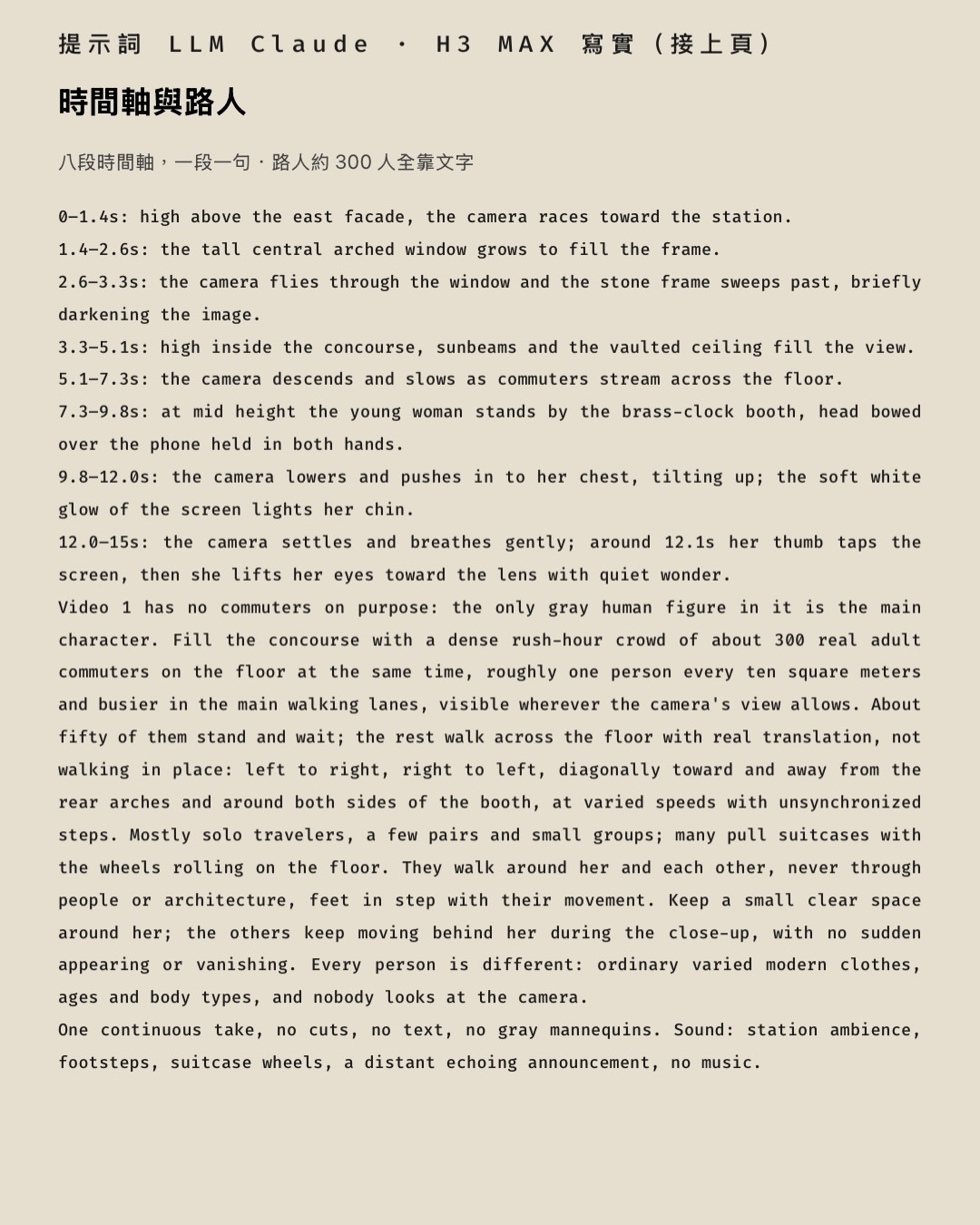
- 時間軸與路人:八段時間軸,一段一句;路人約 300 人全靠文字。
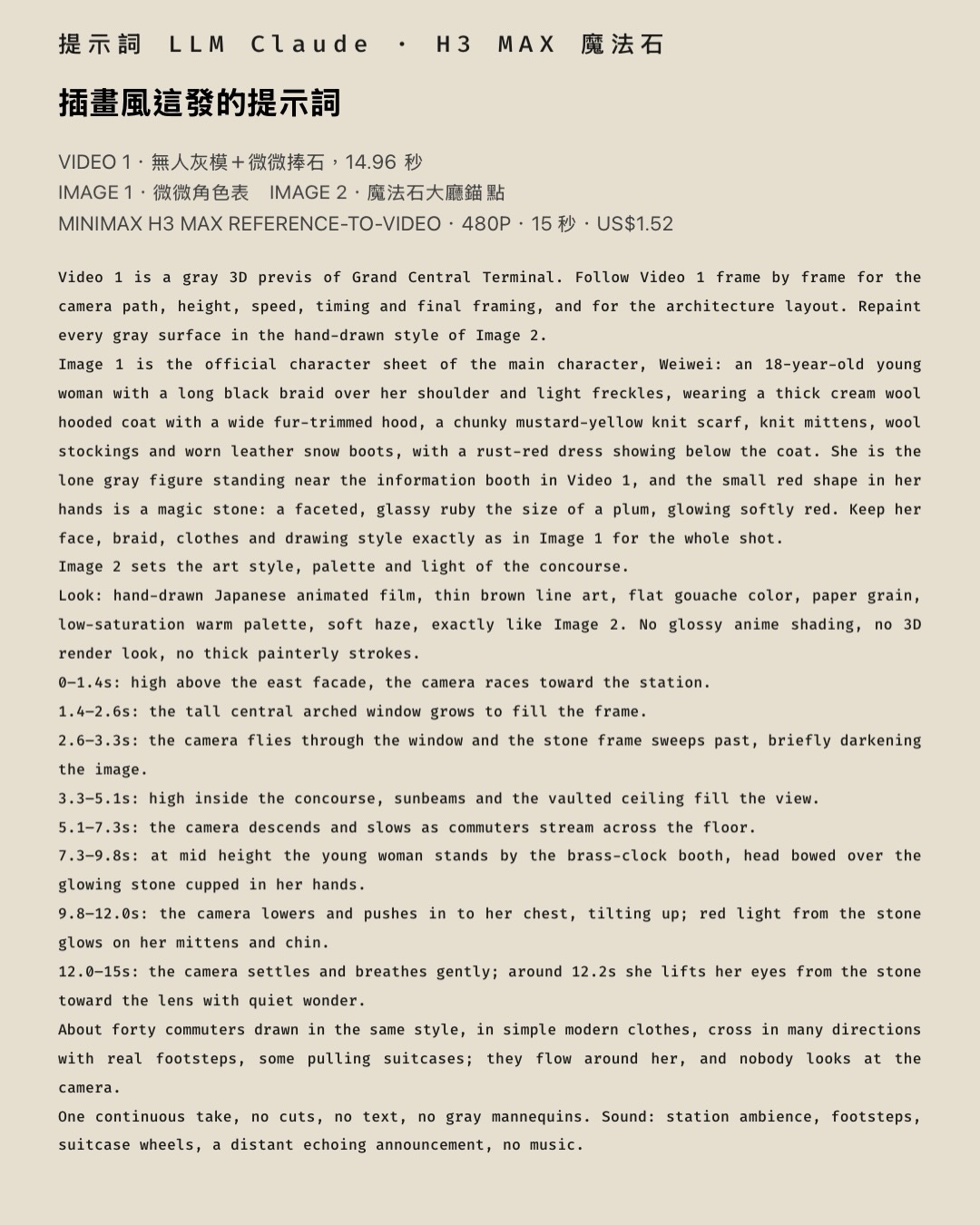
- 插畫風的提示詞(全文)。
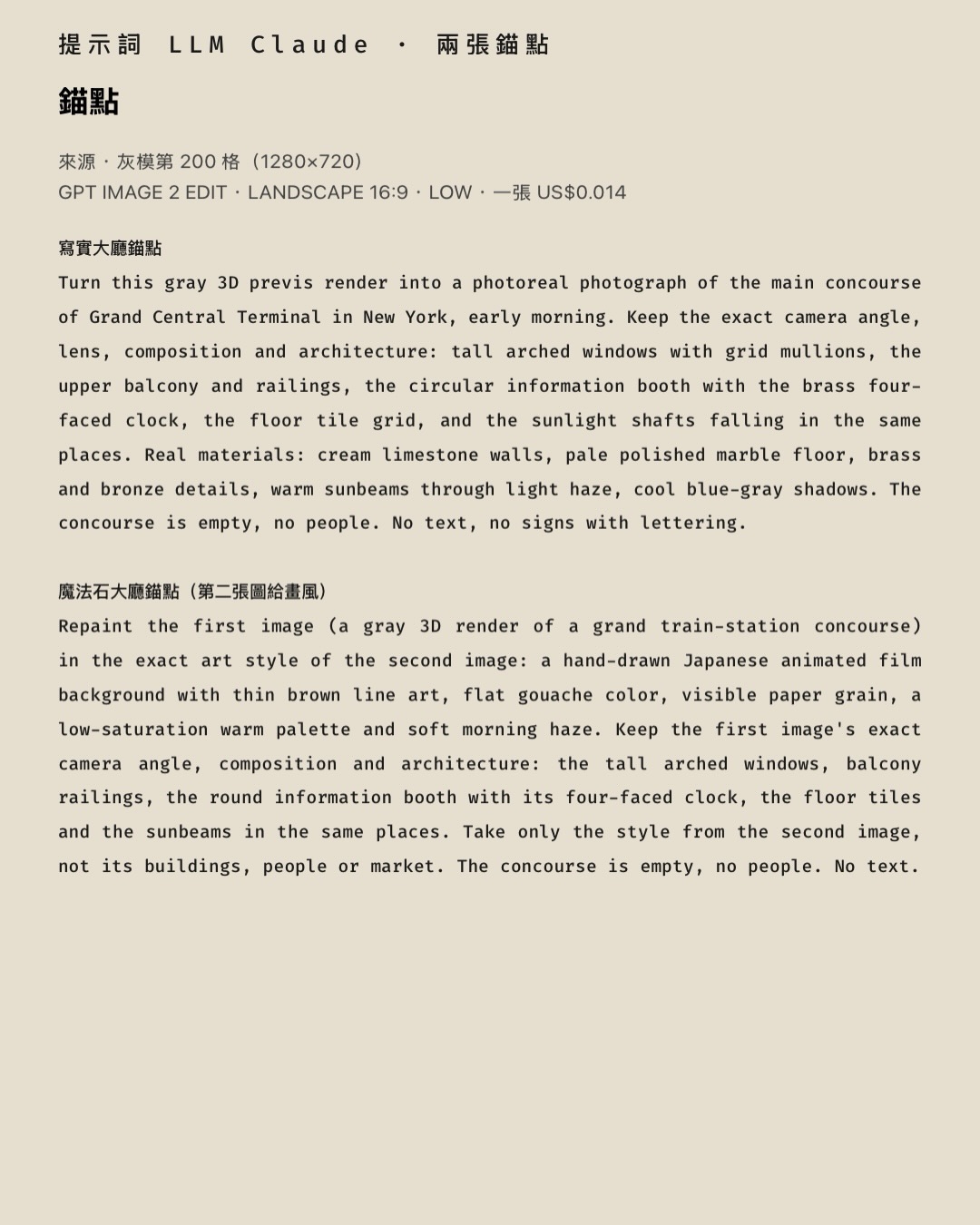
- 兩張錨點:用 GPT Image 2 從灰模截圖轉出寫實大廳與插畫大廳,一張約 US$0.014。
- 這次用到的工具:Blender、Claude Code、OpenAI、fal、MiniMax、Seedance 2.5、Higgsfield。
我們現在怎麼用
- 運鏡交給灰模:Blender 做一顆無人灰模,鏡頭路徑就定了,不用抽卡。
- 主角只放一個,路人寫在提示詞裡——人偶放越多、做越精緻,出來越像人偶。
- 要快、要接自動化用 H3 Max;要真實感、要聲音用 Seedance 2.5。價差見 R-06。
完整提示詞(可複製)
輸入檔要自備:提示詞裡的 @Video/@Image(灰模片、定妝照、場景圖)沒有附在這頁,換成你自己的檔案,編號對上就好。灰模怎麼做見 R-01「拿 Blender 當線稿」。
MiniMax H3 Max reference-to-video · 480P · 15 秒。Video 1=無人灰模+主角(14.96 秒)。
寫實版Video 1 灰模+Image 1 寫實大廳錨點
Video 1 is a gray 3D previs of Grand Central Terminal. Follow Video 1 frame by frame for the camera path, height, speed, timing and final framing, and for the architecture layout. Replace every gray surface with real materials and real light.
The main character is an East Asian woman in her twenties with straight, shoulder-length black hair, wearing black over-ear headphones the whole time, a long cream-white coat over a dark turtleneck and a small crossbody bag on her shoulder, holding a dark smartphone. She is the lone gray figure standing near the information booth in Video 1; the round shapes on her head are the headphones and the small dark rectangle in her hands is the phone. She looks down at it and its screen gives off a soft white glow; the screen content is never visible. She is a real person with natural skin, hair and fabric; keep her face, hair, headphones and clothes the same for the whole shot.
Image 1 sets the look of the concourse: photoreal early-morning light, cream limestone, pale marble floor, brass clock.
Look: photoreal live-action, 35mm film, warm sunbeams through haze, cool shadows, fine grain.
0–1.4s: high above the east facade, the camera races toward the station.
1.4–2.6s: the tall central arched window grows to fill the frame.
2.6–3.3s: the camera flies through the window and the stone frame sweeps past, briefly darkening the image.
3.3–5.1s: high inside the concourse, sunbeams and the vaulted ceiling fill the view.
5.1–7.3s: the camera descends and slows as commuters stream across the floor.
7.3–9.8s: at mid height the young woman stands by the brass-clock booth, head bowed over the phone held in both hands.
9.8–12.0s: the camera lowers and pushes in to her chest, tilting up; the soft white glow of the screen lights her chin.
12.0–15s: the camera settles and breathes gently; around 12.1s her thumb taps the screen, then she lifts her eyes toward the lens with quiet wonder.
Video 1 has no commuters on purpose: the only gray human figure in it is the main character. Fill the concourse with a dense rush-hour crowd of about 300 real adult commuters on the floor at the same time, roughly one person every ten square meters and busier in the main walking lanes, visible wherever the camera's view allows. About fifty of them stand and wait; the rest walk across the floor with real translation, not walking in place: left to right, right to left, diagonally toward and away from the rear arches and around both sides of the booth, at varied speeds with unsynchronized steps. Mostly solo travelers, a few pairs and small groups; many pull suitcases with the wheels rolling on the floor. They walk around her and each other, never through people or architecture, feet in step with their movement. Keep a small clear space around her; the others keep moving behind her during the close-up, with no sudden appearing or vanishing. Every person is different: ordinary varied modern clothes, ages and body types, and nobody looks at the camera.
One continuous take, no cuts, no text, no gray mannequins. Sound: station ambience, footsteps, suitcase wheels, a distant echoing announcement, no music.
插畫版(魔法石)Video 1 灰模+Image 1 角色表+Image 2 插畫大廳錨點
Video 1 is a gray 3D previs of Grand Central Terminal. Follow Video 1 frame by frame for the camera path, height, speed, timing and final framing, and for the architecture layout. Repaint every gray surface in the hand-drawn style of Image 2.
Image 1 is the official character sheet of the main character, Weiwei: an 18-year-old young woman with a long black braid over her shoulder and light freckles, wearing a thick cream wool hooded coat with a wide fur-trimmed hood, a chunky mustard-yellow knit scarf, knit mittens, wool stockings and worn leather snow boots, with a rust-red dress showing below the coat. She is the lone gray figure standing near the information booth in Video 1, and the small red shape in her hands is a magic stone: a faceted, glassy ruby the size of a plum, glowing softly red. Keep her face, braid, clothes and drawing style exactly as in Image 1 for the whole shot.
Image 2 sets the art style, palette and light of the concourse.
Look: hand-drawn Japanese animated film, thin brown line art, flat gouache color, paper grain, low-saturation warm palette, soft haze, exactly like Image 2. No glossy anime shading, no 3D render look, no thick painterly strokes.
0–1.4s: high above the east facade, the camera races toward the station.
1.4–2.6s: the tall central arched window grows to fill the frame.
2.6–3.3s: the camera flies through the window and the stone frame sweeps past, briefly darkening the image.
3.3–5.1s: high inside the concourse, sunbeams and the vaulted ceiling fill the view.
5.1–7.3s: the camera descends and slows as commuters stream across the floor.
7.3–9.8s: at mid height the young woman stands by the brass-clock booth, head bowed over the glowing stone cupped in her hands.
9.8–12.0s: the camera lowers and pushes in to her chest, tilting up; red light from the stone glows on her mittens and chin.
12.0–15s: the camera settles and breathes gently; around 12.2s she lifts her eyes from the stone toward the lens with quiet wonder.
About forty commuters drawn in the same style, in simple modern clothes, cross in many directions with real footsteps, some pulling suitcases; they flow around her, and nobody looks at the camera.
One continuous take, no cuts, no text, no gray mannequins. Sound: station ambience, footsteps, suitcase wheels, a distant echoing announcement, no music.
錨點圖:寫實大廳GPT Image 2 edit · 輸入=灰模截圖
Turn this gray 3D previs render into a photoreal photograph of the main concourse of Grand Central Terminal in New York, early morning. Keep the exact camera angle, lens, composition and architecture: tall arched windows with grid mullions, the upper balcony and railings, the circular information booth with the brass four-faced clock, the floor tile grid, and the sunlight shafts falling in the same places. Real materials: cream limestone walls, pale polished marble floor, brass and bronze details, warm sunbeams through light haze, cool blue-gray shadows. The concourse is empty, no people. No text, no signs with lettering.
錨點圖:插畫大廳GPT Image 2 edit · 輸入=灰模截圖+畫風參考
Repaint the first image (a gray 3D render of a grand train-station concourse) in the exact art style of the second image: a hand-drawn Japanese animated film background with thin brown line art, flat gouache color, visible paper grain, a low-saturation warm palette and soft morning haze. Keep the first image's exact camera angle, composition and architecture: the tall arched windows, balcony railings, the round information booth with its four-faced clock, the floor tiles and the sunbeams in the same places. Take only the style from the second image, not its buildings, people or market. The concourse is empty, no people. No text.
給 AI Agent:照這段做
把這頁網址丟給你的 Claude、Codex 或其他 agent,跟它說「照這頁的『給 AI Agent』段做」。純文字版:h3-greybox.md。
這段能幫你做到什麼:用一顆 Blender 無人灰模定住運鏡,叫 MiniMax H3 Max 重畫成寫實或插畫風的 15 秒影片,路人用提示詞生。
要先準備:以下數字都是作者當次實測(2026.09.23)。
- 灰模影片(無人灰模+主角一個人形,範例 14.96 秒)。頁面沒附檔,請自備;做法見 R-01「拿 Blender 當線稿」。
- 一張從灰模截出的畫面(頁面只說使用灰模截圖),用來產錨點圖。
- 插畫版另需:角色表(Image 1)和一張畫風參考(錨點用)。頁面沒附,請自備。
- 平台與模型:fal 上的 MiniMax H3 Max reference-to-video,480P、15 秒。GPT Image 2 edit 產錨點,一張約 US$0.014。
- 預估花費:影片一發 US$1.50、42 秒算完(作者實付)。
步驟
- 做無人灰模,只放主角一個灰色人形,鏡頭路徑定好。路人不要做成人偶。
- 把灰模截一格,並備好畫風參考;插畫版的錨點須同時輸入灰模截圖與畫風參考,不能只送截圖。丟 GPT Image 2 edit,用頁面「錨點圖:寫實大廳」或「錨點圖:插畫大廳」的提示詞,得到 Image 1(寫實版)或 Image 2(插畫版)。
- 複製頁面「寫實版」或「插畫版(魔法石)」提示詞。選一個,不要混用。
- 把提示詞裡的 Video 1、Image 1、Image 2 對到你自己的檔案,編號要一致。
- 路人數量、動作留在提示詞文字裡改(寫實版約 300 人,插畫版約 40 人)。
- 在 fal 送 MiniMax H3 Max,480P、15 秒。
- 看結果。
怎樣算完成:影片 15 秒;鏡頭路徑、高度、速度、結尾構圖跟灰模一致;主角臉、髮、衣服全程不變;路人有真的位移、步態不僵;畫面沒有文字、沒有灰色人偶。
常見失敗與下一步
- 灰模放很多人偶(作者試過 317 個):路人照抄人偶的僵硬步態。拿掉人偶,改用文字寫路人。
- 人偶做得更精細:算出來反而更像人偶。不要往精細做。
- 要更多路人、更像真的、要聲音:作者改用 CapCut 內建 Seedance 2.5(一發 510 點)效果較好,花費較高。細節見 R-06。
- 其他失敗處理:頁面未說明,請自行決定。
不要做的事:不要把大量人偶放進灰模;作者這次比較認為,讓語言模型只寫提示詞比叫它建 3D 人偶划算;不要假設 @Video/@Image 的檔案在這頁,要自備;不要把作者的價格與時間當保證,平台會調價。
工具:Blender(灰模)、Claude Code 與 GPT-6(寫建模程式與提示詞)、GPT Image 2(錨點圖)、fal 上的 MiniMax H3 Max(480P、15 秒)、CapCut 與 Higgsfield 上的 Seedance 2.5。
← 回到研究列表